
AdBlock for Samsung Browser
Adblock, Inc.Productivity
3.51.08K Reviews
- Version
- 3.4.7
- Installs
- 10.00M
- Age Rating
- Everyone
Screenshots
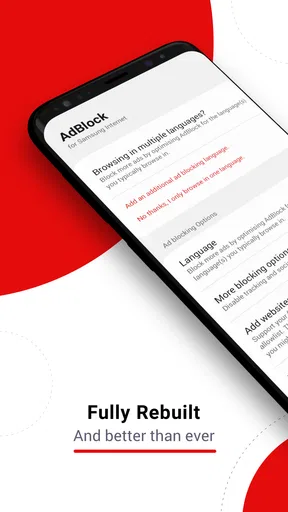
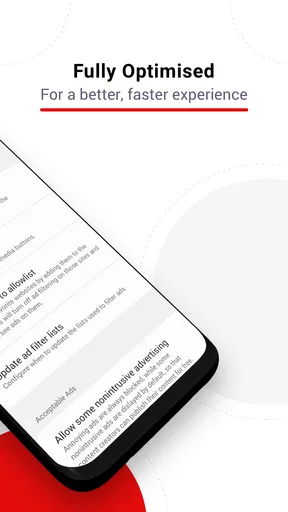
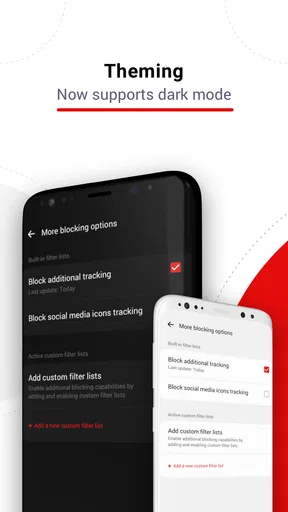
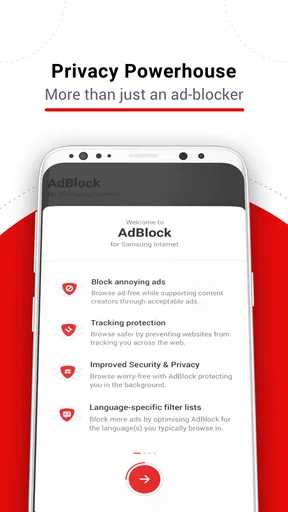
Our Review of AdBlock for Samsung Browser
 Analysis by Appyee
AdBlock for Samsung Browser is a focused productivity app for people who want a calmer, quicker-feeling way to browse on a Samsung phone. I used it with the Samsung Browser in mind rather than treating it like a universal content filter, and that distinction matters: its purpose is narrow, but within that purpose it can make everyday reading less distracting. The app comes from Adblock, Inc., is free, and is suitable for everyone.
My overall impression is that this is best understood as a companion for Samsung Browser, not a replacement browser and not a complete privacy suite. It aims to remove the visual clutter caused by annoying ads, which can also reduce the amount of page content that needs to load. That can make pages feel more responsive, particularly when a site is crowded with banners, autoplay elements, or repeated advertising blocks. The experience is not identical on every website, though, and I would not install it expecting every page to become perfectly clean.
How AdBlock for Samsung Browser feels in everyday use
I find the most useful way to judge this app is to notice whether it makes routine tasks easier, rather than expecting every page to behave identically. I’d pay special attention to reading, comparing details, and returning to a page after switching away, since those small moments reveal whether reduced clutter is genuinely helping. That practical test also sets up the next point: the benefits are real, but they come with a few trade-offs.
A speed boost you notice most on busy pages
The clearest benefit is perceived speed. A page overloaded with advertising often feels slow before the article itself even appears. There may be several visual elements competing for attention, content shifting as the page settles, and extra scrolling before I reach the information I actually wanted. With an ad blocker working alongside Samsung Browser, the page can feel more direct because there is less clutter between the address bar and the useful content.
I would be careful with the word “faster,” however. This app cannot make a weak network connection strong, and it cannot repair a badly designed website. Its practical advantage is more selective: when advertising is a meaningful part of a page’s load and layout, blocking it may reduce distractions and data use. On a simple page with very little advertising, the difference may be small enough that I would barely notice it.
A realistic example is checking a recipe while cooking. I can open the page, scroll through the ingredients, and return to the instructions without repeatedly passing large promotional panels. That is a modest improvement, but it changes how usable the page feels when my hands are busy and I need information quickly. The same applies to reading news, looking up a product specification, or following a troubleshooting guide.
One useful habit is to judge the result by the page rather than by the app itself. If a site becomes easier to scan, loads with fewer interruptions, and uses less of my attention, the blocker is doing its job. If the page still feels slow, the cause may be the site’s scripts, images, server response, or my connection rather than the filtering tool.
What happens during heavy browsing
The app becomes more valuable during sessions with several ad-heavy pages open in succession. Shopping sites, recipe collections, entertainment pages, and news sites can all become tiring when every screen contains multiple promotional areas. Removing some of that visual noise helps me keep track of where I am, especially when I am comparing information across several pages.
There is also a practical data-saving angle. Blocking unwanted advertising can avoid loading some content that I never intended to view. I would not treat this as a guaranteed way to transform mobile data usage, because pages differ greatly and useful content can still be image-heavy. Still, for someone who browses frequently on a limited connection, the reduction in unnecessary page material is a sensible reason to try it.
The trade-off is that blocking can occasionally affect how a website behaves. Some pages depend on advertising-related scripts or expect promotional elements to be present, and a blocked component may leave an empty space, alter the page layout, or prevent part of the site from working as intended. When that happens, the right response is not to assume the app is broken. It may simply be a compatibility issue between the site and the filtering rules.
My recommended workflow is to keep the blocker for normal reading, then temporarily relax your expectations on sites that rely heavily on advertising for navigation or access. If a page’s menu, video area, login flow, or article body behaves strangely, compare it with the same page when filtering is not active. That quick check helps identify whether the problem comes from the website or from the blocking layer.
Stability matters more than dramatic features
AdBlock for Samsung Browser is appealing because it does not ask me to replace my familiar browser with a new all-in-one environment. I can continue using Samsung Browser and add a specific function to it. That focused approach is easier to understand than installing a browser with a long list of unrelated tools, especially if my only goal is to reduce advertising.
In normal use, the important question is whether browsing continues to feel predictable. A blocker should work quietly in the background rather than turning every page into a troubleshooting exercise. My experience with this type of tool is that the best result is almost invisible: pages contain fewer interruptions, while ordinary navigation still feels like ordinary navigation.
Recovery is where expectations need to stay realistic. If one website looks wrong, I would first reload it, check whether the issue appears only on that domain, and consider whether the page is designed around advertising components. If the problem affects many pages, restarting Samsung Browser and checking that the app is still enabled are sensible first steps. I would not immediately clear every browser setting or reinstall everything, because that can create more inconvenience than the original issue.
The app has reached a broad audience, with over ten million installs, and its average rating is around three and a half. I read that combination as a sign of a useful but not universally smooth experience. Many people clearly find value in the concept, while the middling rating also suggests that compatibility, expectations, or individual browsing habits can make a major difference.
Older devices and practical constraints
The current version is 3.4.7, and the app supports devices running Android 5.0 or later. That gives it a relatively wide reach for people using older Android phones, although compatibility on paper is not the same as identical performance on every device. A newer phone with plenty of available system resources may feel more comfortable during long browsing sessions than an older model already struggling with multiple browser tabs.
For an older Samsung phone, I would keep the setup simple. Use Samsung Browser as the main browser, avoid judging performance from a page that is already overloaded with images and scripts, and close tabs that are no longer needed. Those steps are not special features of the blocker, but they make it easier to tell whether the app is helping rather than blaming it for general device slowdown.
Resource demands are also worth considering. An ad blocker has work to do before unwanted page elements are displayed, so it is not accurate to imagine that filtering is completely free of processing. At the same time, blocking unnecessary material can reduce the amount of content the browser has to render. The balance depends on the page, the device, and the browser session. I would expect the most noticeable benefit on advertising-heavy pages, not as a permanent speed increase across the whole phone.
This is also why I would skip it if I rarely use Samsung Browser. The app’s value is tied to that browser, so someone who spends most of their time in another browser will probably get more from that browser’s own content-blocking options. Installing a dedicated companion and then using it only occasionally does not add much to the experience.
Where it fits among common alternatives
The usual alternatives fall into three groups: a browser with built-in blocking, a separate system-wide filtering tool, or no blocker at all. A built-in browser solution can be simpler because fewer moving parts are involved. A system-wide tool may cover more apps, but it can also be more complicated and less focused than what I need for web reading. AdBlock for Samsung Browser sits between those choices: it keeps Samsung Browser and adds a specific browsing function without asking me to change my entire phone setup.
That narrow focus is its main strength and its main limitation. If I want a straightforward way to reduce advertising while staying with Samsung Browser, it makes sense. If I want filtering inside every app, advanced privacy controls, detailed per-site rules, or a completely different browsing engine, I would look elsewhere. Choosing it is less about finding the most powerful blocker available and more about finding a convenient match for one particular browser.
I also would not confuse ad blocking with complete anonymity. Removing advertising elements can make pages cleaner and may limit some unwanted page content, but it does not turn the phone into a privacy device by itself. Someone choosing this app should do so for a cleaner Samsung Browser experience, not because the name implies that every form of tracking or online risk has disappeared.
Small habits that make the experience better
My first tip is to test the app on the pages I actually visit rather than on a single dramatic example. Open a news page, a shopping page, and a practical reference page. Notice whether the text is easier to reach, whether the layout remains usable, and whether any important controls disappear. That gives a much more honest picture than assuming all websites will respond in the same way.
My second tip is to pay attention to layout problems, not just loading time. A page that loads quickly but leaves missing buttons or awkward blank areas is not a success. When a site becomes less usable, I would treat that domain as an exception and avoid forcing the same blocking expectation everywhere. The best setup is one that improves reading without making essential tasks harder.
My third tip is to use the app as part of a lightweight browsing routine. Keep Samsung Browser updated through the normal device process, avoid leaving a large number of unnecessary tabs open, and compare a troublesome page before changing several settings at once. This makes recovery easier because I can identify the actual source of a problem instead of guessing.
A fourth, less obvious point is that reduced clutter can improve accuracy, not just comfort. When I am comparing prices, copying a technical instruction, or reading a long article, promotional blocks can interrupt the visual path and make me lose my place. Blocking will not fix poor writing or confusing navigation, but it can remove one layer of distraction. For focused tasks, that may matter more than a dramatic change in loading time.
Who should use it, and who should pass
I would recommend it to Samsung Browser users who regularly encounter aggressive advertising and want a free, focused productivity app. It is especially suitable for people who read on mobile, use a limited data connection, or prefer not to move to a different browser just to get a cleaner page. The everyone age rating also makes it a straightforward option for general household use.
I would be more cautious if a person depends on websites that require advertising components to function correctly. The same filtering that removes an irritating banner can sometimes interfere with a page’s structure. Users who need maximum compatibility for work portals, media services, or specialized web tools may prefer to keep an alternative browsing method available rather than relying on one blocking setup for everything.
I would also skip it for someone seeking a full privacy package or system-wide control. This is a browser companion with a clear purpose, not a general replacement for every security and privacy measure. Likewise, people who never use Samsung Browser have little reason to choose it over tools designed for their preferred browser.
My performance verdict
After weighing the speed expectations, heavy-use behavior, stability, and device constraints, I see AdBlock for Samsung Browser as a practical improvement rather than a miracle performance tool. Its strongest moments come on crowded pages where advertising competes with the information I came to read. In those situations, browsing can feel less busy, use less unnecessary page content, and require fewer interruptions.
Its limitations are just as important. Results vary by website, compatibility problems can occur, and the app does not guarantee that an older phone or a weak connection will suddenly feel fast. The narrow browser focus also means it is not the right choice for users who want system-wide filtering or a feature-rich privacy environment.
Still, the free price makes experimentation easy, and the app’s long availability since January 25, 2016, gives it the feel of an established utility rather than a short-lived novelty. I would install it when Samsung Browser is already my preferred browser and advertising is making ordinary reading frustrating. My recommendation is positive for focused mobile browsing, with one condition: judge it by the websites you use every day.
For that audience, AdBlock for Samsung Browser does something useful without demanding a complete change in browsing habits. It is not the most universal answer, but it is a sensible, low-cost way to make Samsung Browser feel cleaner and more manageable when unwanted advertising is the main source of friction.
Verdict
Strengths of AdBlock for Samsung Browser
- Blocks ads, pop-ups, and many tracking scripts effectively.
- Designed to work smoothly with Samsung Internet Browser.
- Can reduce data usage on ad-heavy websites.
- Helps pages load faster on slower mobile connections.
- Offers customizable filtering options for experienced users.
Limitations of AdBlock for Samsung Browser
- Only works with Samsung Internet, not other browsers or apps.
- Some websites may display broken layouts or missing content.
- Filter updates may occasionally lag behind new ad formats.
- Whitelisting and advanced settings can feel confusing for beginners.
- Blocking ads can affect websites that depend on advertising revenue.
Similar Picks in This Category
View All
Google Calendar
Google LLC4.6

Google Drive
Google LLC4.3

Google Assistant
Google LLC3.9

Microsoft OneDrive
Microsoft Corporation4.6

Samsung Calendar
Samsung Electronics Co., Ltd.4.1

Microsoft OneNote: Save Notes
Microsoft Corporation4.6
Frequently Asked Questions
What is AdBlock for Samsung Internet, and how does it work?
AdBlock for Samsung Internet is a content-blocking extension designed to reduce intrusive advertising while you browse with Samsung Internet on compatible Android devices. After installation and activation, it uses filtering rules to block many banners, pop-ups, video ads, tracking scripts, and other unwanted page elements. This can make websites load more cleanly and may reduce data usage, although no blocker can remove every advertisement from every website.
How do I install and enable AdBlock in Samsung Internet?
First, install the official AdBlock extension from a trusted source, such as the Google Play Store or Samsung Galaxy Store when available. Open Samsung Internet, go to the menu, select Extensions or Ad blockers, and activate AdBlock from the available list. You may need to enable the service in the browser settings and restart open tabs before the filtering becomes visible. The exact menu names can vary by browser version and device.
Can AdBlock for Samsung Internet block every advertisement and pop-up?
AdBlock can block a substantial number of common advertisements, including many banners, pop-ups, autoplay elements, and tracking-related requests, but its protection is not absolute. Websites frequently change their advertising systems, and some ads are integrated directly into page content or served in ways that are difficult to filter. If a page looks broken, you can usually pause blocking for that website or add it to an allowlist.
Does using AdBlock affect website functionality or video playback?
In some cases, it can. Because ad blockers filter page requests and scripts, they may occasionally interfere with login forms, embedded videos, comments, online shopping tools, or websites that depend on advertising scripts. During testing, the easiest solution was to temporarily disable blocking for the affected site, refresh the page, and then enable it again afterward. Keeping filter lists updated also helps reduce compatibility problems.
Is AdBlock for Samsung Internet free, and is it safe to use?
The basic blocking features are generally available without a subscription, although optional premium tools or related products may differ depending on the official version and store listing. For safety, download only the legitimate extension from a recognized app store and review its developer information, permissions, and privacy policy. Avoid unofficial APK files, since modified copies may contain malware or request unnecessary access to browsing activity.
